A Complete Remote Hiring and Onboarding Tools Checklist

A Complete Remote Hiring and Onboarding Tools Checklist

A Complete Remote Hiring and Onboarding Tools Checklist

Employee Appreciation

Employee Appreciation

Employee Appreciation

A Complete Remote Hiring and Onboarding Tools Checklist

A Complete Remote Hiring and Onboarding Tools Checklist

A Complete Remote Hiring and Onboarding Tools Checklist

Here, we have a stage-by-stage checklist of the remote hiring and onboarding tools worth having, with real platform examples for screening, payroll, equipment, and welcome swag.

Here, we have a stage-by-stage checklist of the remote hiring and onboarding tools worth having, with real platform examples for screening, payroll, equipment, and welcome swag.

Here, we have a stage-by-stage checklist of the remote hiring and onboarding tools worth having, with real platform examples for screening, payroll, equipment, and welcome swag.

Last Update:

LastUpdate:

Last Update:

7

7

min read

min read

A woman holding and looking at a tablet on the right with different tools logos.
In this Post

Nowadays, hiring someone you’ll never meet in person, in a time zone you’ve never worked in, is how a lot of global teams grow. And since a lot of companies do it, it may seem easy at first, until you begin sorting out applicants, running interviews across different time zones, getting a laptop across an ocean, and welcoming your remote new hire.

The last two are something you should pay closer attention to, especially when at least 39% of remote employees say their company never properly set up their work tools or tech. And for a remote employee, the laptop is the workplace. 

So, in this blog, we created a tools checklist that you can use to see the best remote hiring and onboarding tools for each stage of the interview, all the way to the onboarding process.


What are the tools for remote hiring and remote onboarding?

This section is divided into two parts: remote hiring (where you find people, screen them, conduct interviews, and make an offer) and remote onboarding (which involves paperwork, payroll, equipment access, and welcome swag).

For both, we’ll discuss the tools you need and the actual platforms you can use to make the process easier for both you and your new hire. Let’s begin.



What are the remote hiring tools you need?

When you have a role to fill, chances are, the applications will stack up, and you’ll spend your next few weeks sorting applicants, screening them, running interviews across mismatched time zones, just so you can get an offer out before someone else does. With all of these tasks, it’s important to have some tools you can use to make your hiring process easier.

  1. Applicant tracking system (ATS)

An applicant tracking system, or simply ATS, is a software application that you can use to collect applications and move candidates through stages. It can also help you screen and rank resumes so you can quickly identify the most qualified candidates.

Examples of ATS applications: 

  • Greenhouse

  • Ashby

  • Workable

  1. Candidate screening and video interviews

Once you have a shortlist of qualified candidates, the next step is to further screen them and see their suitability by using candidate screening tools. For this step, rather than booking a call with every applicant, you can send them a video interview link and review their answers when you’ve got the time.

An asynchronous video interview, also called a one-way or pre-recorded interview, lets your qualified candidates record responses on their own schedule and lets you watch them back later. Such applications can also score and organize those responses so you can shortlist them faster.

Examples of candidate screening and video interview tools: 

  • Jobma

  • HireVue

  • Willo

The featured pick here is Jobma, which supports one-way, live, panel, and AI-assisted interviews, so your candidate can start with a pre-recorded screen and move to a live round without you having to switch tools. With Jobma, you can control the format, including the think time, answer length, and number of takes. Questions can also be video, audio, written, multiple choice, or even a coding challenge. As for the responses, they come back with AI transcripts and scoring, so your team can rate and compare candidates side by side without booking a meeting.

  1. Skills and role assessments

If the candidate passed the initial screening, the next step for them is to undergo a skills and role assessment to see if they’re a good fit for the tasks of the role. For assessments, test for the actual work, whether that’s a coding challenge for engineers, a writing prompt for content roles, or a scenario for support.

Examples of applications for skills and role assessments: 

  • TestGorilla

  • HackerRank

  • iMocha

  1. Background checks and identity verification

Once your candidate has passed the first three steps, the next thing to do is to run a background check and verification of their identity, even before the last stage of the hiring process. This especially matters when you’re hiring for remote team members, as they are people you’ll never see in person.

Example of background checks and identity verification tools:

  • Checkr

  • Certn

  • Veriff

  1. Scheduled live interviews

In this step, your final candidates will undergo a live meeting with you so you can ask any follow-up questions or assess their communication skills in real time. For this stage, it’s important to have a tool so you can send a scheduling link or meeting.

Examples of communication tools for live interviews:

  • Zoom

  • Google Meet

  • Calendly


What are the remote onboarding tools you need?

So, you’re done with the hiring process, and you found the best candidate for the role, great! The next step is to get them onboarding, which includes sending them the offer letter, setting up their payroll, sending their equipment, preparing them for the role, and welcoming them with swag. 
A good onboarding process is especially important when only 12% of employees strongly agree their company does a great job of onboarding, and just 29% feel fully prepared to excel once it's over (Gallup). It’s even harder to have an effective onboarding when your new hires live across the globe. So, here are some tools that can help manage the task more easily.

  1. Offer letters and e-signatures

Onboarding starts when your candidate, now a new team member, says yes. By using e-signature tools, you can get the offer signed on the same day or the following day without any printing necessary on both ends.

Examples of tools for requesting e-signatures for offer letters: 

  • DocuSign

  • PandaDoc

  • Dropbox Sign

  1. Global hiring, HRIS, and payroll

Human Resources Information System, or simply HRIS, is a software platform that many companies use to centralize their employee data and automate core HR processes, such as payroll, benefits, and time or out-of-office tracking. It also handles compliance for you, particularly in countries where you have no legal entity. Most of your onboarding automations trigger from here, so pick one that can be integrated with your other tools.

Examples of HRIS and global payroll tools: 

  • Deel

  • Rippling

  • HiBob

The featured pick here is Deel, a global workforce platform built to make hiring and onboarding workers anywhere simple and compliant. If you need to hire someone in a country where you don't have a legal entity, Deel can act as the employer of record on your behalf, taking on the contract, local labor law, taxes, and statutory benefits. Because Deel owns entities in 130+ countries, onboarding can happen in days instead of the months it would take to set up an entity yourself.

Hiring, onboarding, HR, and payroll all run on the same platform, so a new hire's information flows straight from offer to first paycheck without manual re-entry or the handoffs that usually delay remote onboarding. Compliance runs in the background too, adapting automatically as local laws change so a growing global team never has to track the details by hand.

  1. Equipment and hardware setup

If your company wants to send a laptop to your new hire living in a different country, then this step is also crucial. If you want to skip the hassle or the paperwork, the best solution is to work with a device lifecycle management platform. These platforms buy the machine, load it with the software and accounts they need before shipping it out, and send it to your new hire’s home address, wherever that may be. When a teammate leaves, the same platform retrieves the laptop and wipes it clean for you.

Examples of device management platforms: 

  • Workwize

  • GroWrk

  • Allwhere


  1. Onboarding workflows and paperwork

Once your new hire has the proper equipment, the next thing they need is to understand the workflow and the tools needed for their role. Onboarding workflow tools will help you handle the admin work required in the first few weeks by assigning tasks to their owners, sending additional forms that need signing, and reminding people when something is late, while showing you what’s still outstanding. It’s a cleaner checklist that your new hire can review.

Examples of onboarding workflow tools:

  • Enboarder

  • Sora

  • WorkBright

  1. Communication and knowledge base

Since your new hire can’t just lean over a desk to ask a question, they’ll need somewhere to ask and look. This, then, makes a chat platform and a knowledge base tool important so your newest member can better understand how you run standups, where the brand assets live, and who approves what. 

Examples of communication and knowledge base tools: 

  • Slack

  • Notion

  • Confluence

  1. Welcome swag and new hire kits

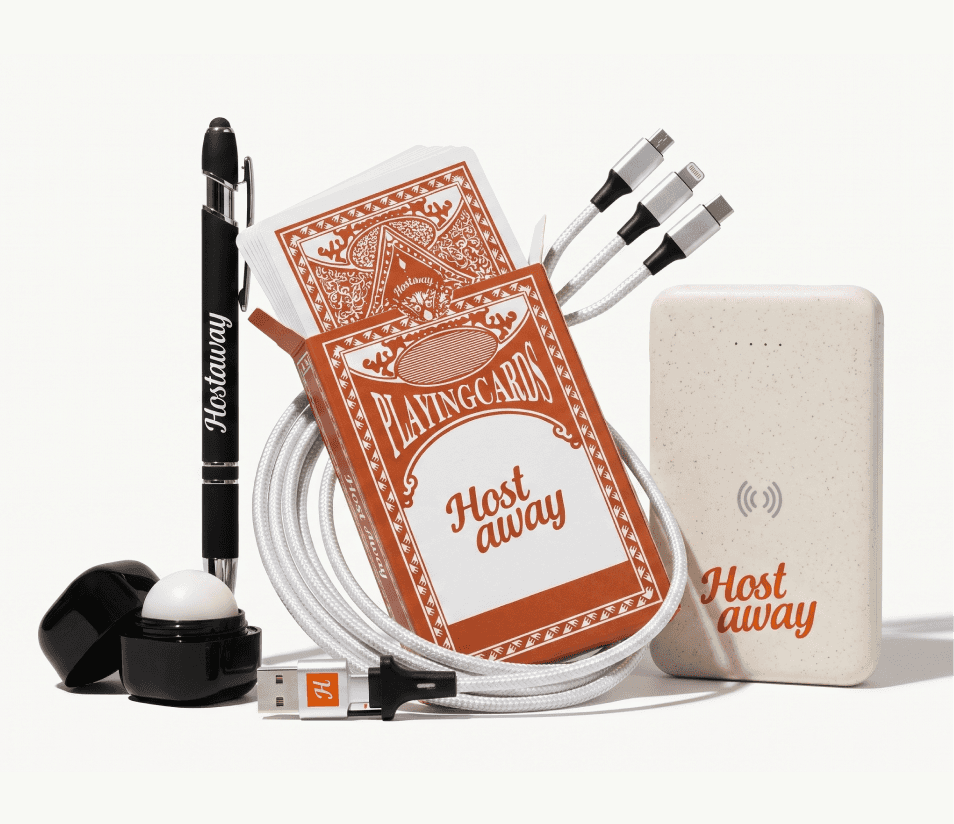
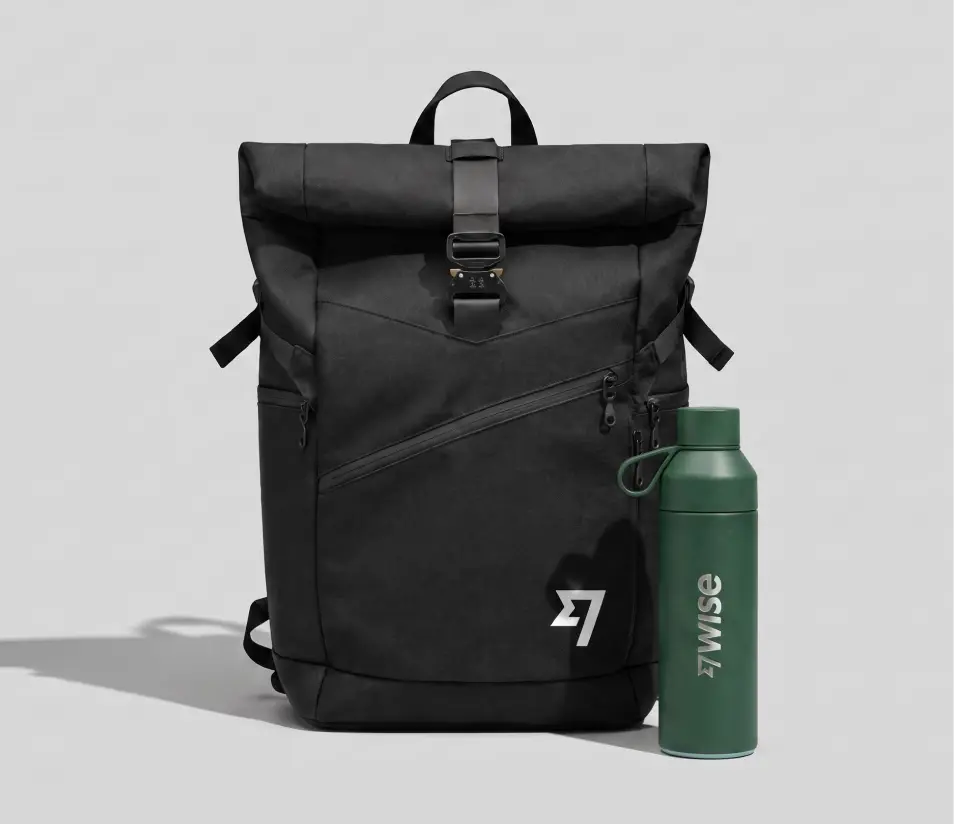
While paperwork and logins make someone more familiar with workflows, it’s the swag items that can make your new hire feel like they actually joined. A new hire swag kit is a set of branded items (called swag), usually apparel, drinkware, office, and tech items, packed together and shipped to your new hire on or before their first day. In a remote team, this is especially important, as there’s nothing physical that actually ties them to your workplace. The good news is that you can look for swag management platforms that will handle the onboarding swag for you: they produce/source the items, store the kits in a warehouse, and ship each one out whenever someone joins.

The key here is to look for a platform that warehouses and ships globally and can be plugged into your HRIS so the sending is automatic.

Examples of swag management platforms for new hire swag kits: 

  • PerkUp

  • Swag.com

  • SwagUp

The featured pick here is PerkUp, covered in full below.


A Swag Management Platform for Global Remote Teams

Most of your onboarding tools are invisible to your new hires. The one thing that isn’t is your onboarding swag kit. A new hire swag kit is the first physical thing a new team member will see with your logo on it, and the tangible proof that they’ve joined your team. 

This is where a swag management platform built for global remote teams comes in. One example of this is PerkUp, a swag management platform that helps companies design, source, store, automate, and ship swag and kits (including onboarding swag kits) to employees (including clients and event attendees) in 65+ countries.

Here are the things that PerkUp offers to you and your remote team:

  • Global fulfillment, without the customs headaches: With PerkUp, you can store swag and swag kits in warehouses across the US, Canada, Mexico, the UK, Europe, India, China, and Australia. When a new hire starts, their kit is shipped from the closest warehouse within a few business days, which reduces shipping times and helps you avoid surprise customs fees. PerkUp can reach 65+ countries, so you can send swag easily to your remote team.

  • Automated onboarding swag shipment: You can connect your HRIS (including Workday, Rippling, BambooHR, and 200+ others) with PerkUp and trigger welcome kits automatically from a new hire's start date. All you need to do is set up the workflow once, then let every future hire receive the same experience.

  • Swag flexibility: PerkUp offers bulk swag, On Demand swag, event swag, swag stores (that combine bulk and On Demand), gift cards, and, of course, swag kits. So, if you’re hiring at scale, you can store onboarding kits in bulk and ship them as new employees join. If you need to send a single swag item to a remote employee, you can use On Demand swag that only requires a 1-unit minimum and no inventory. 

  • Everything in one dashboard: You can easily manage budgets, control product selections by team, and track every order, shipment, and redemption from PerkUp’s dashboard.

  • Enterprise-grade security: PerkUp is also SOC 2 Type II certified, meaning your employee data is protected.

  • Sustainability commitments: Since PerkUp ships from the warehouse closest to your new hire, a kit going to Berlin won’t come from a US warehouse, which then cuts the shipping emissions up to 95%. PerkUp is also a member of Pledge 1% and Stripe Climate.

With all of these, PerkUp can deliver the same onboarding experience with consistent quality, predictable shipping, and regional fulfillment to every remote new hire you have.


Key Takeaway

A great remote hiring and onboarding process is all about having the right tools to help you. From screening interviews and HR software to onboarding platforms and swag management, each one removes friction for your team and creates a smoother experience for every new hire. The less time you spend doing things manually, the more time you can spend actually helping your new employees settle in and succeed.

If you want the swag part to be handled without you lifting a finger, then book a PerkUp demo to see how it works and scales with the rest of your hiring and onboarding tools.


Frequently Asked Questions

What features should you look for in a remote hiring and onboarding platform?

The non-negotiables are HRIS integration, so tools trigger off a start date instead of a spreadsheet, coverage in the countries you hire in, and real visibility into what has actually shipped or been signed. Beyond that, check whether the tool holds SOC 2 Type II, since most of the tools we listed above can access employee names, addresses, and other sensitive data.

How do you choose the right tools for a global team?

Start with geography. If you hire internationally, that single filter eliminates most platforms before you compare a single feature, whether it’s a screening tool that only runs in English or a swag vendor that only ships domestically. Then look at whether the tools connect to each other, so you can manage hiring and onboarding more efficiently.

Can PerkUp build branded employee onboarding kits?

Definitely! With PerkUp, you order swag kits in bulk, store them in the warehouse, and ship them out within a few business days when someone joins. These swag kits are branded with your logo and colors, and delivered before a new hire's first day. 

Can I automate new hire swag with PerkUp?

Yes! Once PerkUp is connected to your HRIS, a new start date triggers the kit automatically. You set the rule once, and it runs for every person who joins after that.

Which countries can corporate swag be shipped to?

PerkUp warehouses swag across the US, Canada, Mexico, the UK, Europe, India, China, and Australia, then ships each kit from the region closest to your new hire. So a welcome package in Toronto or Bangalore arrives like a local order instead of an international shipment.

Nowadays, hiring someone you’ll never meet in person, in a time zone you’ve never worked in, is how a lot of global teams grow. And since a lot of companies do it, it may seem easy at first, until you begin sorting out applicants, running interviews across different time zones, getting a laptop across an ocean, and welcoming your remote new hire.

The last two are something you should pay closer attention to, especially when at least 39% of remote employees say their company never properly set up their work tools or tech. And for a remote employee, the laptop is the workplace. 

So, in this blog, we created a tools checklist that you can use to see the best remote hiring and onboarding tools for each stage of the interview, all the way to the onboarding process.


What are the tools for remote hiring and remote onboarding?

This section is divided into two parts: remote hiring (where you find people, screen them, conduct interviews, and make an offer) and remote onboarding (which involves paperwork, payroll, equipment access, and welcome swag).

For both, we’ll discuss the tools you need and the actual platforms you can use to make the process easier for both you and your new hire. Let’s begin.


What are the remote hiring tools you need?

When you have a role to fill, chances are, the applications will stack up, and you’ll spend your next few weeks sorting applicants, screening them, running interviews across mismatched time zones, just so you can get an offer out before someone else does. With all of these tasks, it’s important to have some tools you can use to make your hiring process easier.

  1. Applicant tracking system (ATS)

An applicant tracking system, or simply ATS, is a software application that you can use to collect applications and move candidates through stages. It can also help you screen and rank resumes so you can quickly identify the most qualified candidates.

Examples of ATS applications: 

  • Greenhouse

  • Ashby

  • Workable

  1. Candidate screening and video interviews

Once you have a shortlist of qualified candidates, the next step is to further screen them and see their suitability by using candidate screening tools. For this step, rather than booking a call with every applicant, you can send them a video interview link and review their answers when you’ve got the time.

An asynchronous video interview, also called a one-way or pre-recorded interview, lets your qualified candidates record responses on their own schedule and lets you watch them back later. Such applications can also score and organize those responses so you can shortlist them faster.

Examples of candidate screening and video interview tools: 

  • Jobma

  • HireVue

  • Willo

The featured pick here is Jobma, which supports one-way, live, panel, and AI-assisted interviews, so your candidate can start with a pre-recorded screen and move to a live round without you having to switch tools. With Jobma, you can control the format, including the think time, answer length, and number of takes. Questions can also be video, audio, written, multiple choice, or even a coding challenge. As for the responses, they come back with AI transcripts and scoring, so your team can rate and compare candidates side by side without booking a meeting.

  1. Skills and role assessments

If the candidate passed the initial screening, the next step for them is to undergo a skills and role assessment to see if they’re a good fit for the tasks of the role. For assessments, test for the actual work, whether that’s a coding challenge for engineers, a writing prompt for content roles, or a scenario for support.

Examples of applications for skills and role assessments: 

  • TestGorilla

  • HackerRank

  • iMocha

  1. Background checks and identity verification

Once your candidate has passed the first three steps, the next thing to do is to run a background check and verification of their identity, even before the last stage of the hiring process. This especially matters when you’re hiring for remote team members, as they are people you’ll never see in person.

Example of background checks and identity verification tools:

  • Checkr

  • Certn

  • Veriff

  1. Scheduled live interviews

In this step, your final candidates will undergo a live meeting with you so you can ask any follow-up questions or assess their communication skills in real time. For this stage, it’s important to have a tool so you can send a scheduling link or meeting.

Examples of communication tools for live interviews:

  • Zoom

  • Google Meet

  • Calendly


What are the remote onboarding tools you need?

So, you’re done with the hiring process, and you found the best candidate for the role, great! The next step is to get them onboarding, which includes sending them the offer letter, setting up their payroll, sending their equipment, preparing them for the role, and welcoming them with swag. 

A good onboarding process is especially important when only 12% of employees strongly agree their company does a great job of onboarding, and just 29% feel fully prepared to excel once it's over (Gallup). It’s even harder to have an effective onboarding when your new hires live across the globe. So, here are some tools that can help manage the task more easily.

  1. Offer letters and e-signatures

Onboarding starts when your candidate, now a new team member, says yes. By using e-signature tools, you can get the offer signed on the same day or the following day without any printing necessary on both ends.

Examples of tools for requesting e-signatures for offer letters: 

  • DocuSign

  • PandaDoc

  • Dropbox Sign

  1. Global hiring, HRIS, and payroll

Human Resources Information System, or simply HRIS, is a software platform that many companies use to centralize their employee data and automate core HR processes, such as payroll, benefits, and time or out-of-office tracking. It also handles compliance for you, particularly in countries where you have no legal entity. Most of your onboarding automations trigger from here, so pick one that can be integrated with your other tools.

Examples of HRIS and global payroll tools: 

  • Deel

  • Rippling

  • HiBob

The featured pick here is Deel, a global workforce platform built to make hiring and onboarding workers anywhere simple and compliant. If you need to hire someone in a country where you don't have a legal entity, Deel can act as the employer of record on your behalf, taking on the contract, local labor law, taxes, and statutory benefits. Because Deel owns entities in 130+ countries, onboarding can happen in days instead of the months it would take to set up an entity yourself.

Hiring, onboarding, HR, and payroll all run on the same platform, so a new hire's information flows straight from offer to first paycheck without manual re-entry or the handoffs that usually delay remote onboarding. Compliance runs in the background too, adapting automatically as local laws change so a growing global team never has to track the details by hand.

  1. Equipment and hardware setup

If your company wants to send a laptop to your new hire living in a different country, then this step is also crucial. If you want to skip the hassle or the paperwork, the best solution is to work with a device lifecycle management platform. These platforms buy the machine, load it with the software and accounts they need before shipping it out, and send it to your new hire’s home address, wherever that may be. When a teammate leaves, the same platform retrieves the laptop and wipes it clean for you.

Examples of device management platforms: 

  • Workwize

  • GroWrk

  • Allwhere


  1. Onboarding workflows and paperwork

Once your new hire has the proper equipment, the next thing they need is to understand the workflow and the tools needed for their role. Onboarding workflow tools will help you handle the admin work required in the first few weeks by assigning tasks to their owners, sending additional forms that need signing, and reminding people when something is late, while showing you what’s still outstanding. It’s a cleaner checklist that your new hire can review.

Examples of onboarding workflow tools:

  • Enboarder

  • Sora

  • WorkBright

  1. Communication and knowledge base

Since your new hire can’t just lean over a desk to ask a question, they’ll need somewhere to ask and look. This, then, makes a chat platform and a knowledge base tool important so your newest member can better understand how you run standups, where the brand assets live, and who approves what. 

Examples of communication and knowledge base tools: 

  • Slack

  • Notion

  • Confluence

  1. Welcome swag and new hire kits

While paperwork and logins make someone more familiar with workflows, it’s the swag items that can make your new hire feel like they actually joined. A new hire swag kit is a set of branded items (called swag), usually apparel, drinkware, office, and tech items, packed together and shipped to your new hire on or before their first day. In a remote team, this is especially important, as there’s nothing physical that actually ties them to your workplace. The good news is that you can look for swag management platforms that will handle the onboarding swag for you: they produce/source the items, store the kits in a warehouse, and ship each one out whenever someone joins.

The key here is to look for a platform that warehouses and ships globally and can be plugged into your HRIS so the sending is automatic.

Examples of swag management platforms for new hire swag kits: 

  • PerkUp

  • Swag.com

  • SwagUp

The featured pick here is PerkUp, covered in full below.


A Swag Management Platform for Global Remote Teams

Most of your onboarding tools are invisible to your new hires. The one thing that isn’t is your onboarding swag kit. A new hire swag kit is the first physical thing a new team member will see with your logo on it, and the tangible proof that they’ve joined your team. 

This is where a swag management platform built for global remote teams comes in. One example of this is PerkUp, a swag management platform that helps companies design, source, store, automate, and ship swag and kits (including onboarding swag kits) to employees (including clients and event attendees) in 65+ countries.

Here are the things that PerkUp offers to you and your remote team:

  • Global fulfillment, without the customs headaches: With PerkUp, you can store swag and swag kits in warehouses across the US, Canada, Mexico, the UK, Europe, India, China, and Australia. When a new hire starts, their kit is shipped from the closest warehouse within a few business days, which reduces shipping times and helps you avoid surprise customs fees. PerkUp can reach 65+ countries, so you can send swag easily to your remote team.

  • Automated onboarding swag shipment: You can connect your HRIS (including Workday, Rippling, BambooHR, and 200+ others) with PerkUp and trigger welcome kits automatically from a new hire's start date. All you need to do is set up the workflow once, then let every future hire receive the same experience.

  • Swag flexibility: PerkUp offers bulk swag, On Demand swag, event swag, swag stores (that combine bulk and On Demand), gift cards, and, of course, swag kits. So, if you’re hiring at scale, you can store onboarding kits in bulk and ship them as new employees join. If you need to send a single swag item to a remote employee, you can use On Demand swag that only requires a 1-unit minimum and no inventory. 

  • Everything in one dashboard: You can easily manage budgets, control product selections by team, and track every order, shipment, and redemption from PerkUp’s dashboard.

  • Enterprise-grade security: PerkUp is also SOC 2 Type II certified, meaning your employee data is protected.

  • Sustainability commitments: Since PerkUp ships from the warehouse closest to your new hire, a kit going to Berlin won’t come from a US warehouse, which then cuts the shipping emissions up to 95%. PerkUp is also a member of Pledge 1% and Stripe Climate.

With all of these, PerkUp can deliver the same onboarding experience with consistent quality, predictable shipping, and regional fulfillment to every remote new hire you have.


Key Takeaway

A great remote hiring and onboarding process is all about having the right tools to help you. From screening interviews and HR software to onboarding platforms and swag management, each one removes friction for your team and creates a smoother experience for every new hire. The less time you spend doing things manually, the more time you can spend actually helping your new employees settle in and succeed.

If you want the swag part to be handled without you lifting a finger, then book a PerkUp demo to see how it works and scales with the rest of your hiring and onboarding tools.


Frequently Asked Questions

What features should you look for in a remote hiring and onboarding platform?

The non-negotiables are HRIS integration, so tools trigger off a start date instead of a spreadsheet, coverage in the countries you hire in, and real visibility into what has actually shipped or been signed. Beyond that, check whether the tool holds SOC 2 Type II, since most of the tools we listed above can access employee names, addresses, and other sensitive data.

How do you choose the right tools for a global team?

Start with geography. If you hire internationally, that single filter eliminates most platforms before you compare a single feature, whether it’s a screening tool that only runs in English or a swag vendor that only ships domestically. Then look at whether the tools connect to each other, so you can manage hiring and onboarding more efficiently.

Can PerkUp build branded employee onboarding kits?

Definitely! With PerkUp, you order swag kits in bulk, store them in the warehouse, and ship them out within a few business days when someone joins. These swag kits are branded with your logo and colors, and delivered before a new hire's first day. 

Can I automate new hire swag with PerkUp?

Yes! Once PerkUp is connected to your HRIS, a new start date triggers the kit automatically. You set the rule once, and it runs for every person who joins after that.

Which countries can corporate swag be shipped to?

PerkUp warehouses swag across the US, Canada, Mexico, the UK, Europe, India, China, and Australia, then ships each kit from the region closest to your new hire. So a welcome package in Toronto or Bangalore arrives like a local order instead of an international shipment.

Nowadays, hiring someone you’ll never meet in person, in a time zone you’ve never worked in, is how a lot of global teams grow. And since a lot of companies do it, it may seem easy at first, until you begin sorting out applicants, running interviews across different time zones, getting a laptop across an ocean, and welcoming your remote new hire.

The last two are something you should pay closer attention to, especially when at least 39% of remote employees say their company never properly set up their work tools or tech. And for a remote employee, the laptop is the workplace. 

So, in this blog, we created a tools checklist that you can use to see the best remote hiring and onboarding tools for each stage of the interview, all the way to the onboarding process.


What are the tools for remote hiring and remote onboarding?

This section is divided into two parts: remote hiring (where you find people, screen them, conduct interviews, and make an offer) and remote onboarding (which involves paperwork, payroll, equipment access, and welcome swag).

For both, we’ll discuss the tools you need and the actual platforms you can use to make the process easier for both you and your new hire. Let’s begin.


What are the remote hiring tools you need?

When you have a role to fill, chances are, the applications will stack up, and you’ll spend your next few weeks sorting applicants, screening them, running interviews across mismatched time zones, just so you can get an offer out before someone else does. With all of these tasks, it’s important to have some tools you can use to make your hiring process easier.

  1. Applicant tracking system (ATS)

An applicant tracking system, or simply ATS, is a software application that you can use to collect applications and move candidates through stages. It can also help you screen and rank resumes so you can quickly identify the most qualified candidates.

Examples of ATS applications: 

  • Greenhouse

  • Ashby

  • Workable

  1. Candidate screening and video interviews

Once you have a shortlist of qualified candidates, the next step is to further screen them and see their suitability by using candidate screening tools. For this step, rather than booking a call with every applicant, you can send them a video interview link and review their answers when you’ve got the time.

An asynchronous video interview, also called a one-way or pre-recorded interview, lets your qualified candidates record responses on their own schedule and lets you watch them back later. Such applications can also score and organize those responses so you can shortlist them faster.

Examples of candidate screening and video interview tools: 

  • Jobma

  • HireVue

  • Willo

The featured pick here is Jobma, which supports one-way, live, panel, and AI-assisted interviews, so your candidate can start with a pre-recorded screen and move to a live round without you having to switch tools. With Jobma, you can control the format, including the think time, answer length, and number of takes. Questions can also be video, audio, written, multiple choice, or even a coding challenge. As for the responses, they come back with AI transcripts and scoring, so your team can rate and compare candidates side by side without booking a meeting.

  1. Skills and role assessments

If the candidate passed the initial screening, the next step for them is to undergo a skills and role assessment to see if they’re a good fit for the tasks of the role. For assessments, test for the actual work, whether that’s a coding challenge for engineers, a writing prompt for content roles, or a scenario for support.

Examples of applications for skills and role assessments: 

  • TestGorilla

  • HackerRank

  • iMocha

  1. Background checks and identity verification

Once your candidate has passed the first three steps, the next thing to do is to run a background check and verification of their identity, even before the last stage of the hiring process. This especially matters when you’re hiring for remote team members, as they are people you’ll never see in person.

Example of background checks and identity verification tools:

  • Checkr

  • Certn

  • Veriff

  1. Scheduled live interviews

In this step, your final candidates will undergo a live meeting with you so you can ask any follow-up questions or assess their communication skills in real time. For this stage, it’s important to have a tool so you can send a scheduling link or meeting.

Examples of communication tools for live interviews:

  • Zoom

  • Google Meet

  • Calendly


What are the remote onboarding tools you need?

So, you’re done with the hiring process, and you found the best candidate for the role, great! The next step is to get them onboarding, which includes sending them the offer letter, setting up their payroll, sending their equipment, preparing them for the role, and welcoming them with swag. 

A good onboarding process is especially important when only 12% of employees strongly agree their company does a great job of onboarding, and just 29% feel fully prepared to excel once it's over (Gallup). It’s even harder to have an effective onboarding when your new hires live across the globe. So, here are some tools that can help manage the task more easily.

  1. Offer letters and e-signatures

Onboarding starts when your candidate, now a new team member, says yes. By using e-signature tools, you can get the offer signed on the same day or the following day without any printing necessary on both ends.

Examples of tools for requesting e-signatures for offer letters: 

  • DocuSign

  • PandaDoc

  • Dropbox Sign

  1. Global hiring, HRIS, and payroll

Human Resources Information System, or simply HRIS, is a software platform that many companies use to centralize their employee data and automate core HR processes, such as payroll, benefits, and time or out-of-office tracking. It also handles compliance for you, particularly in countries where you have no legal entity. Most of your onboarding automations trigger from here, so pick one that can be integrated with your other tools.

Examples of HRIS and global payroll tools: 

  • Deel

  • Rippling

  • HiBob

The featured pick here is Deel, a global workforce platform built to make hiring and onboarding workers anywhere simple and compliant. If you need to hire someone in a country where you don't have a legal entity, Deel can act as the employer of record on your behalf, taking on the contract, local labor law, taxes, and statutory benefits. Because Deel owns entities in 130+ countries, onboarding can happen in days instead of the months it would take to set up an entity yourself.

Hiring, onboarding, HR, and payroll all run on the same platform, so a new hire's information flows straight from offer to first paycheck without manual re-entry or the handoffs that usually delay remote onboarding. Compliance runs in the background too, adapting automatically as local laws change so a growing global team never has to track the details by hand.

  1. Equipment and hardware setup

If your company wants to send a laptop to your new hire living in a different country, then this step is also crucial. If you want to skip the hassle or the paperwork, the best solution is to work with a device lifecycle management platform. These platforms buy the machine, load it with the software and accounts they need before shipping it out, and send it to your new hire’s home address, wherever that may be. When a teammate leaves, the same platform retrieves the laptop and wipes it clean for you.

Examples of device management platforms: 

  • Workwize

  • GroWrk

  • Allwhere


  1. Onboarding workflows and paperwork

Once your new hire has the proper equipment, the next thing they need is to understand the workflow and the tools needed for their role. Onboarding workflow tools will help you handle the admin work required in the first few weeks by assigning tasks to their owners, sending additional forms that need signing, and reminding people when something is late, while showing you what’s still outstanding. It’s a cleaner checklist that your new hire can review.

Examples of onboarding workflow tools:

  • Enboarder

  • Sora

  • WorkBright

  1. Communication and knowledge base

Since your new hire can’t just lean over a desk to ask a question, they’ll need somewhere to ask and look. This, then, makes a chat platform and a knowledge base tool important so your newest member can better understand how you run standups, where the brand assets live, and who approves what. 

Examples of communication and knowledge base tools: 

  • Slack

  • Notion

  • Confluence

  1. Welcome swag and new hire kits

While paperwork and logins make someone more familiar with workflows, it’s the swag items that can make your new hire feel like they actually joined. A new hire swag kit is a set of branded items (called swag), usually apparel, drinkware, office, and tech items, packed together and shipped to your new hire on or before their first day. In a remote team, this is especially important, as there’s nothing physical that actually ties them to your workplace. The good news is that you can look for swag management platforms that will handle the onboarding swag for you: they produce/source the items, store the kits in a warehouse, and ship each one out whenever someone joins.

The key here is to look for a platform that warehouses and ships globally and can be plugged into your HRIS so the sending is automatic.

Examples of swag management platforms for new hire swag kits: 

  • PerkUp

  • Swag.com

  • SwagUp

The featured pick here is PerkUp, covered in full below.


A Swag Management Platform for Global Remote Teams

Most of your onboarding tools are invisible to your new hires. The one thing that isn’t is your onboarding swag kit. A new hire swag kit is the first physical thing a new team member will see with your logo on it, and the tangible proof that they’ve joined your team. 

This is where a swag management platform built for global remote teams comes in. One example of this is PerkUp, a swag management platform that helps companies design, source, store, automate, and ship swag and kits (including onboarding swag kits) to employees (including clients and event attendees) in 65+ countries.

Here are the things that PerkUp offers to you and your remote team:

  • Global fulfillment, without the customs headaches: With PerkUp, you can store swag and swag kits in warehouses across the US, Canada, Mexico, the UK, Europe, India, China, and Australia. When a new hire starts, their kit is shipped from the closest warehouse within a few business days, which reduces shipping times and helps you avoid surprise customs fees. PerkUp can reach 65+ countries, so you can send swag easily to your remote team.

  • Automated onboarding swag shipment: You can connect your HRIS (including Workday, Rippling, BambooHR, and 200+ others) with PerkUp and trigger welcome kits automatically from a new hire's start date. All you need to do is set up the workflow once, then let every future hire receive the same experience.

  • Swag flexibility: PerkUp offers bulk swag, On Demand swag, event swag, swag stores (that combine bulk and On Demand), gift cards, and, of course, swag kits. So, if you’re hiring at scale, you can store onboarding kits in bulk and ship them as new employees join. If you need to send a single swag item to a remote employee, you can use On Demand swag that only requires a 1-unit minimum and no inventory. 

  • Everything in one dashboard: You can easily manage budgets, control product selections by team, and track every order, shipment, and redemption from PerkUp’s dashboard.

  • Enterprise-grade security: PerkUp is also SOC 2 Type II certified, meaning your employee data is protected.

  • Sustainability commitments: Since PerkUp ships from the warehouse closest to your new hire, a kit going to Berlin won’t come from a US warehouse, which then cuts the shipping emissions up to 95%. PerkUp is also a member of Pledge 1% and Stripe Climate.

With all of these, PerkUp can deliver the same onboarding experience with consistent quality, predictable shipping, and regional fulfillment to every remote new hire you have.


Key Takeaway

A great remote hiring and onboarding process is all about having the right tools to help you. From screening interviews and HR software to onboarding platforms and swag management, each one removes friction for your team and creates a smoother experience for every new hire. The less time you spend doing things manually, the more time you can spend actually helping your new employees settle in and succeed.

If you want the swag part to be handled without you lifting a finger, then book a PerkUp demo to see how it works and scales with the rest of your hiring and onboarding tools.


Frequently Asked Questions

What features should you look for in a remote hiring and onboarding platform?

The non-negotiables are HRIS integration, so tools trigger off a start date instead of a spreadsheet, coverage in the countries you hire in, and real visibility into what has actually shipped or been signed. Beyond that, check whether the tool holds SOC 2 Type II, since most of the tools we listed above can access employee names, addresses, and other sensitive data.

How do you choose the right tools for a global team?

Start with geography. If you hire internationally, that single filter eliminates most platforms before you compare a single feature, whether it’s a screening tool that only runs in English or a swag vendor that only ships domestically. Then look at whether the tools connect to each other, so you can manage hiring and onboarding more efficiently.

Can PerkUp build branded employee onboarding kits?

Definitely! With PerkUp, you order swag kits in bulk, store them in the warehouse, and ship them out within a few business days when someone joins. These swag kits are branded with your logo and colors, and delivered before a new hire's first day. 

Can I automate new hire swag with PerkUp?

Yes! Once PerkUp is connected to your HRIS, a new start date triggers the kit automatically. You set the rule once, and it runs for every person who joins after that.

Which countries can corporate swag be shipped to?

PerkUp warehouses swag across the US, Canada, Mexico, the UK, Europe, India, China, and Australia, then ships each kit from the region closest to your new hire. So a welcome package in Toronto or Bangalore arrives like a local order instead of an international shipment.

import { useEffect } from "react"


export default function CarouselFixer() {

useEffect(() => {

// Wait for CMS content to render

const init = () => {

// Find all horizontally scrollable containers inside CMS content

const contents = document.querySelectorAll(".framer-text, [class*='content'], [class*='Content']")


contents.forEach((content) => {

const scrollEls = content.querySelectorAll("ul, ol, div")

scrollEls.forEach((el) => {

const htmlEl = el as HTMLElement

const style = window.getComputedStyle(htmlEl)


// Target only elements that overflow horizontally (the carousel)

if (

style.overflowX === "scroll" ||

style.overflowX === "auto" ||

htmlEl.scrollWidth > htmlEl.clientWidth

) {

attachScrollBehavior(htmlEl)

}

})

})

}


const attachScrollBehavior = (el: HTMLElement) => {

// Prevent double-attaching

if (el.dataset.scrollFixed) return

el.dataset.scrollFixed = "true"


el.style.cursor = "grab"

el.style.userSelect = "none"

el.style.webkitOverflowScrolling = "touch"

el.style.scrollbarWidth = "none"


let startX = 0

let scrollStart = 0

let isDown = false

let dragged = false


const onMouseDown = (e: MouseEvent) => {

isDown = true

dragged = false

startX = e.clientX

scrollStart = el.scrollLeft

el.style.cursor = "grabbing"

}


const onMouseMove = (e: MouseEvent) => {

if (!isDown) return

const dx = e.clientX - startX

if (Math.abs(dx) > 5) dragged = true

el.scrollLeft = scrollStart - dx

}


const onMouseUp = () => {

isDown = false

el.style.cursor = "grab"

}


const onClickCapture = (e: MouseEvent) => {

if (dragged) {

e.preventDefault()

e.stopImmediatePropagation()

dragged = false

}

}


const onWheel = (e: WheelEvent) => {

if (Math.abs(e.deltaX) > 0) {

e.preventDefault()

el.scrollLeft += e.deltaX

}

}


el.addEventListener("mousedown", onMouseDown)

el.addEventListener("mousemove", onMouseMove)

el.addEventListener("mouseup", onMouseUp)

el.addEventListener("mouseleave", onMouseUp)

el.addEventListener("click", onClickCapture, true)

el.addEventListener("wheel", onWheel, { passive: false })

}


// Try immediately, then retry after delays to catch late CMS renders

init()

setTimeout(init, 500)

setTimeout(init, 1500)

}, [])


// Renders nothing — invisible helper

return null

}