Swag Order Tracking, Notification Settings, and More

Swag Order Tracking, Notification Settings, and More

Swag Order Tracking, Notification Settings, and More

Product Updates

Product Updates

Product Updates

Swag Order Tracking, Notification Settings, and More

Swag Order Tracking, Notification Settings, and More

Swag Order Tracking, Notification Settings, and More

A round-up of the latest PerkUp product updates, from bulk swag order tracking and logo organization to smarter notifications, faster event creation, and more flexible swag store payments.

A round-up of the latest PerkUp product updates, from bulk swag order tracking and logo organization to smarter notifications, faster event creation, and more flexible swag store payments.

A round-up of the latest PerkUp product updates, from bulk swag order tracking and logo organization to smarter notifications, faster event creation, and more flexible swag store payments.

Jan 27, 2026

5

min read

In this Post

We have a few exciting updates to share with you 👇

  • Bulk swag order status page 🛒

  • Organize your team's swag logos 📁

  • Update account balance notification settings ⚙️

  • Upload a banner for your Swag Store 👕

  • Faster Event Creation ⚡

  • Use Account Balances in the Swag Store 🏦

  • Smarter Reward Acceptance Notifications 🔔

Let's dive in!

Bulk swag order status page 🛒
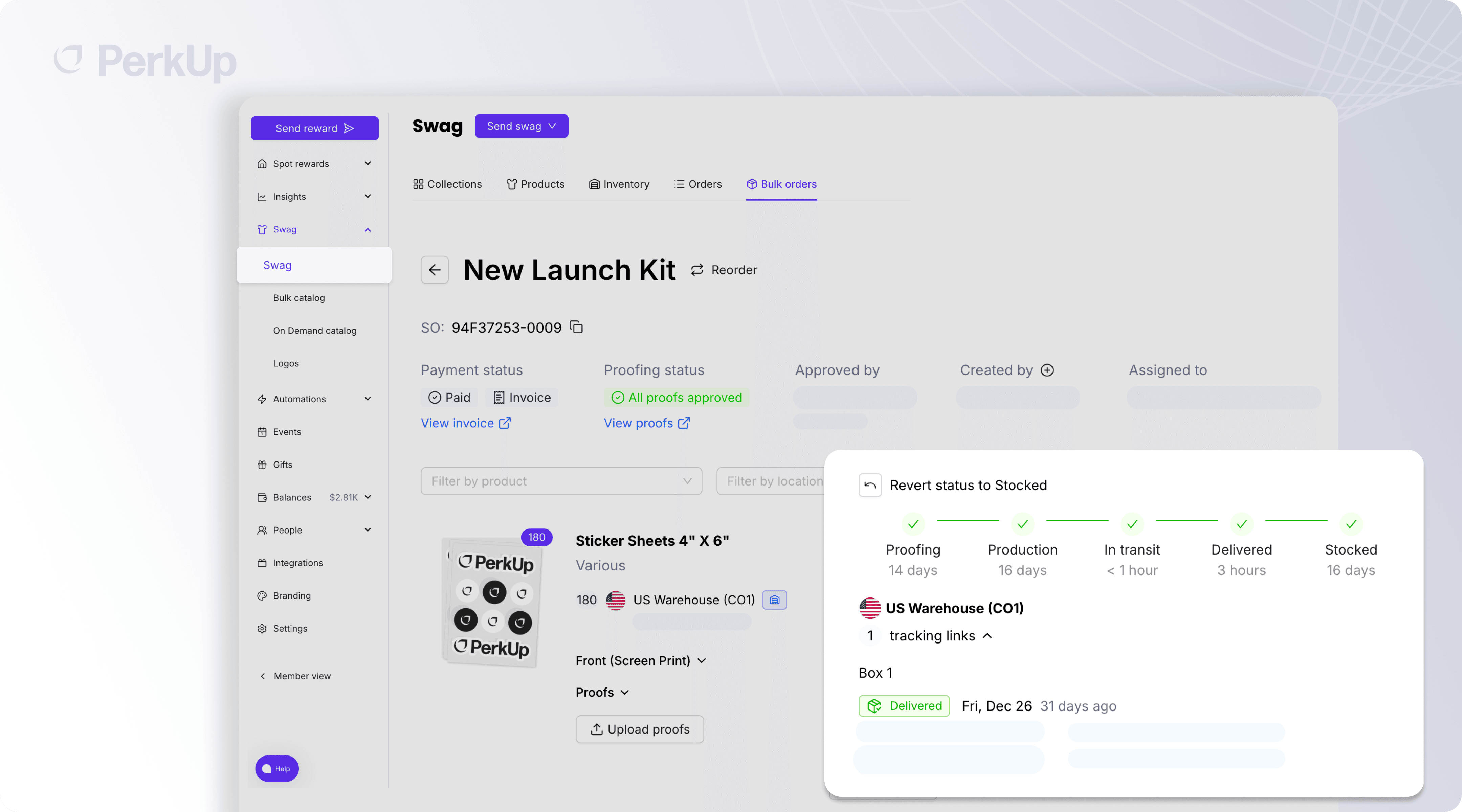
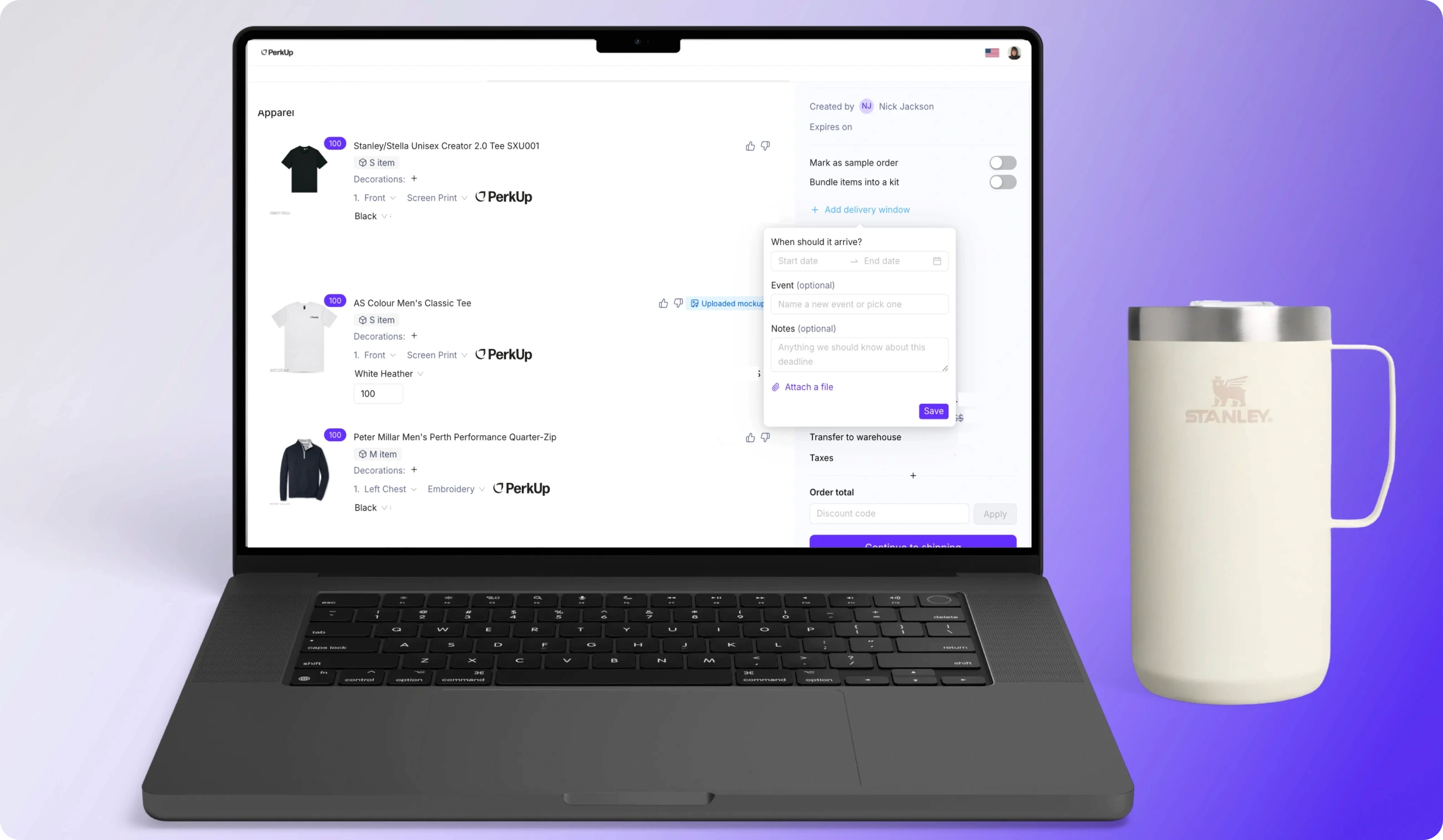
Managing large swag orders just got a whole lot easier. Our new Bulk Swag order status page gives you full visibility into every item in your order; from proofing to production to arrival at the warehouse or event.

Now, when you place a bulk order, you’ll be able to:

  • Track each item’s progress in real time. See where every SKU stands at a glance — whether it’s waiting on proof approval, in production, or en route to the warehouse.

  • Approve proofs faster. You’ll get alerts as soon as your proofs are ready, so nothing stalls your timelines.

  • View estimated production & shipping timelines. Understand exactly how long each step will take, and get an estimated ship date once items hit production.

  • Follow tracking updates end-to-end. Once items leave their production centers, you can monitor carrier tracking and view the full tracking history directly from your dashboard.

This update gives you the clarity and confidence to keep your team informed, avoid delays, and never wonder “what’s the status?” again.


Organize your team's swag logos 📁
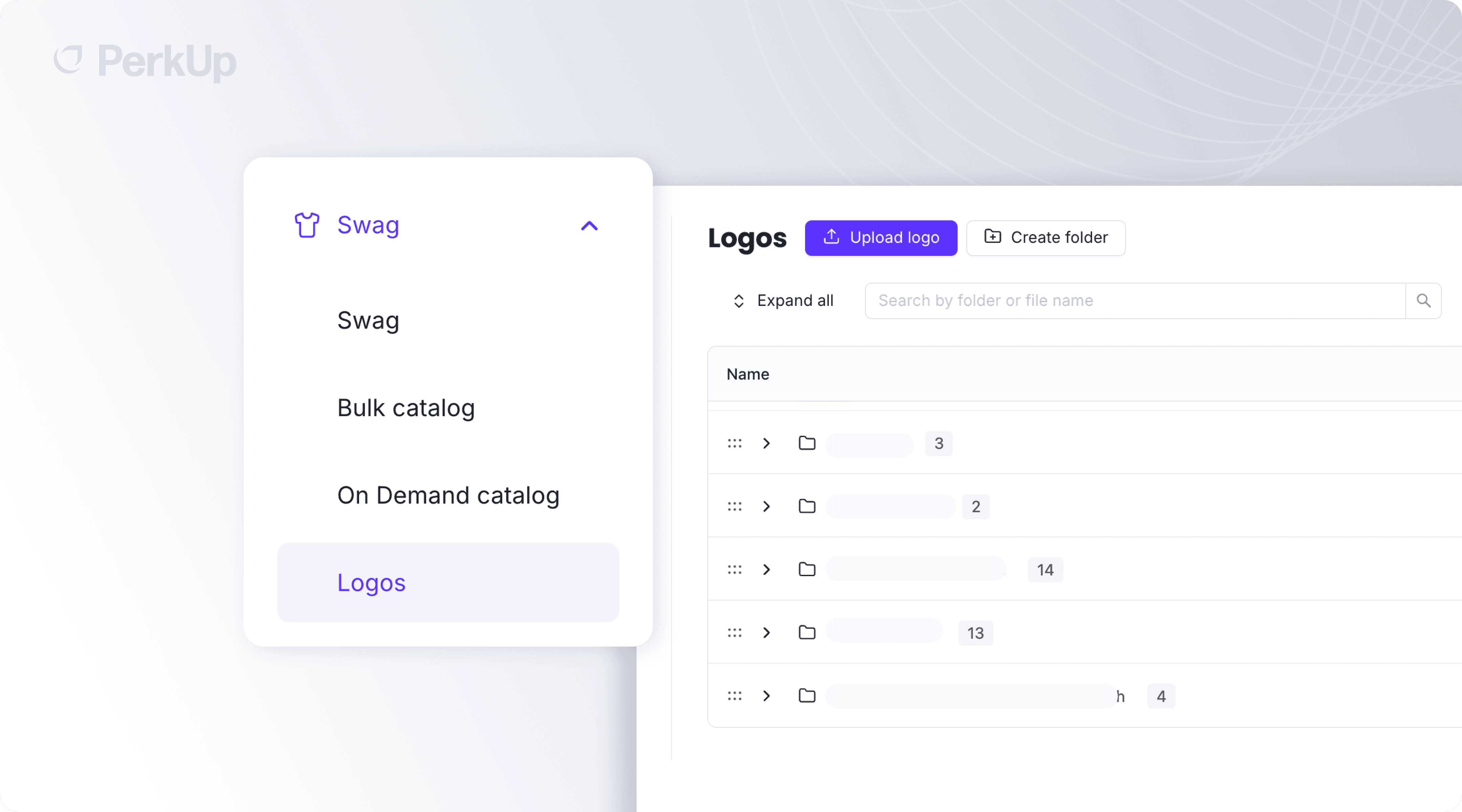
Say goodbye to hunting through old email threads, Slack messages, or random drive folders for the “right” logo. With our new Swag Logos features, your team can now upload, organize, and share all your swag artwork and assets directly inside PerkUp.

Here’s what you can do:

  • Upload all your logos and artwork in one place. Keep every file (PNGs, SVGs, EPS) securely stored and instantly accessible.

  • Organize assets into shared folders. Create folders and subfolders by team, brand, campaign, or product line so everyone knows exactly where to find what they need.

  • Collaborate with your whole team. Share assets with teammates so designers, marketers, and anyone placing bulk or on-demand orders can all pull from the same source of truth.

  • Ensure brand accuracy, every time. With a single shared library, your team will always use the most current, highest-quality artwork — no more outdated logos or mismatched versions on swag.

This feature keeps your brand consistent, your workflow streamlined, and your team perfectly aligned on every order.

Update account balance notification settings ⚙️
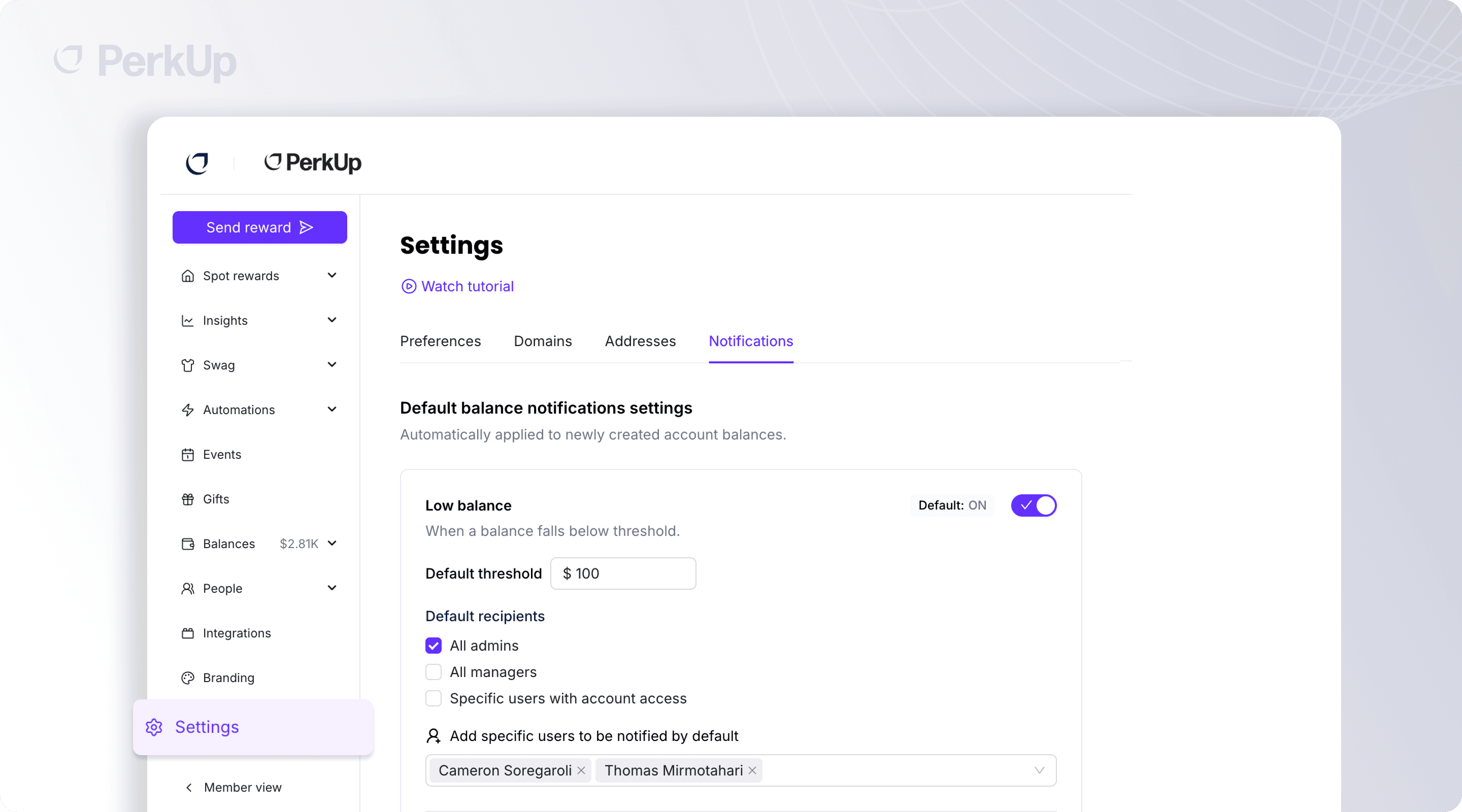
You can now customize notification settings for each individual account balance in your organization, giving your finance and operations teams the visibility they need without overwhelming everyone with unnecessary emails.

Two alert types you can fully control

  • Low balance alerts: Set a custom threshold for each balance and get notified when funds drop below your chosen amount.

  • Declined transaction alerts: Get notified when a reward is declined due to insufficient funds—whether the balance was drained, funds were moved out, or negative exposure caught up with the account.

Flexible notification recipients

For each balance and each notification type, decide exactly who gets notified:

  • Specific individuals: Assign notifications to the exact team members who should stay on top of that balance.

  • Permission-based rules:

    • Notify everyone with access to the balance (e.g., anyone who can add funds).

    • Notify only the person who originally created the balance.

  • For declined transactions: You can also choose to notify the sender of the reward that was declined, ensuring the right person is immediately aware.

Organization Defaults

To streamline your setup, you can define default notification settings at the organization level. Any new account balance created will automatically inherit these defaults, saving time and ensuring consistent rules across teams.

This update gives you clearer insights, fewer surprises, and the exact level of control your finance workflows require.

Upload a banner for your Swag Store 👕
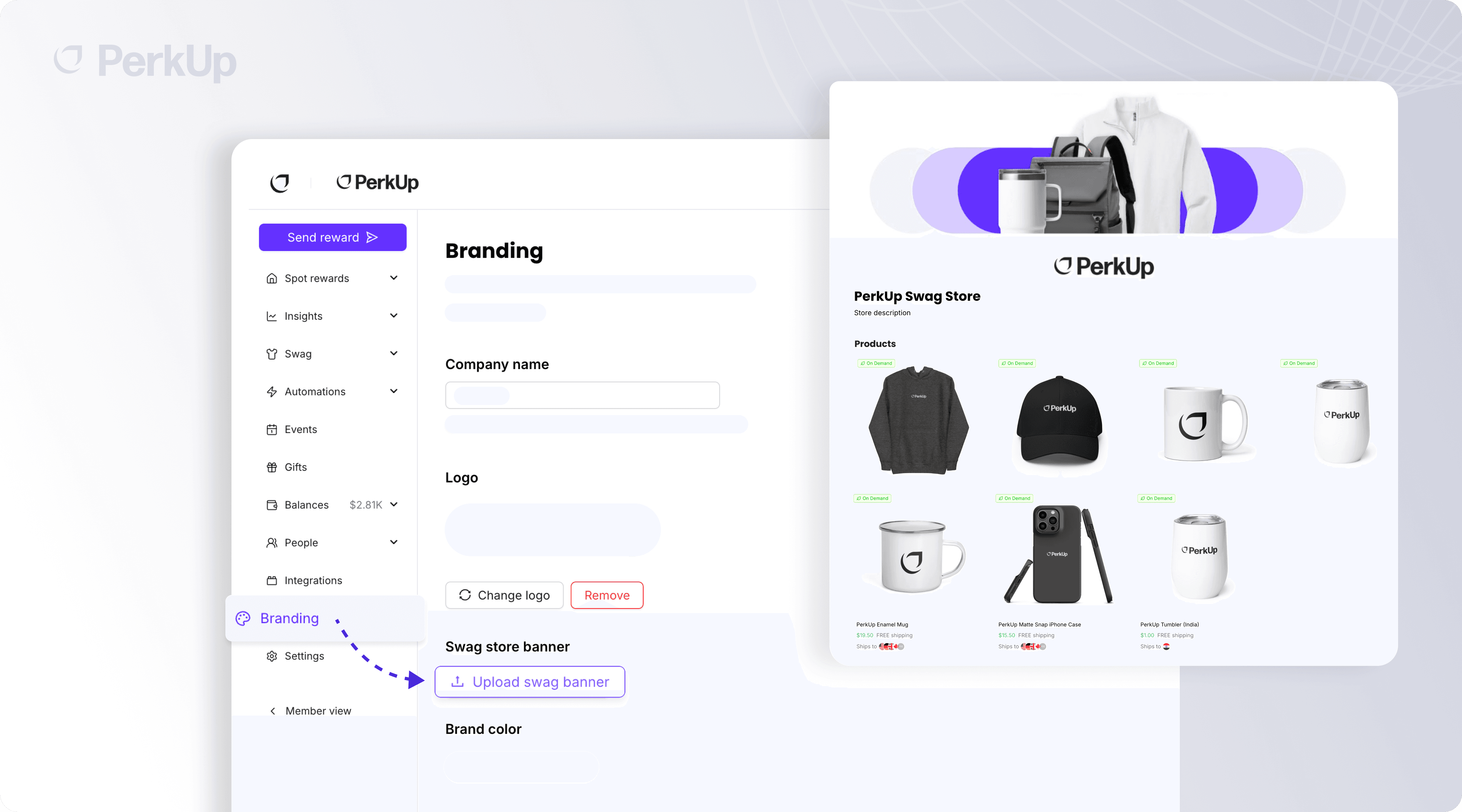
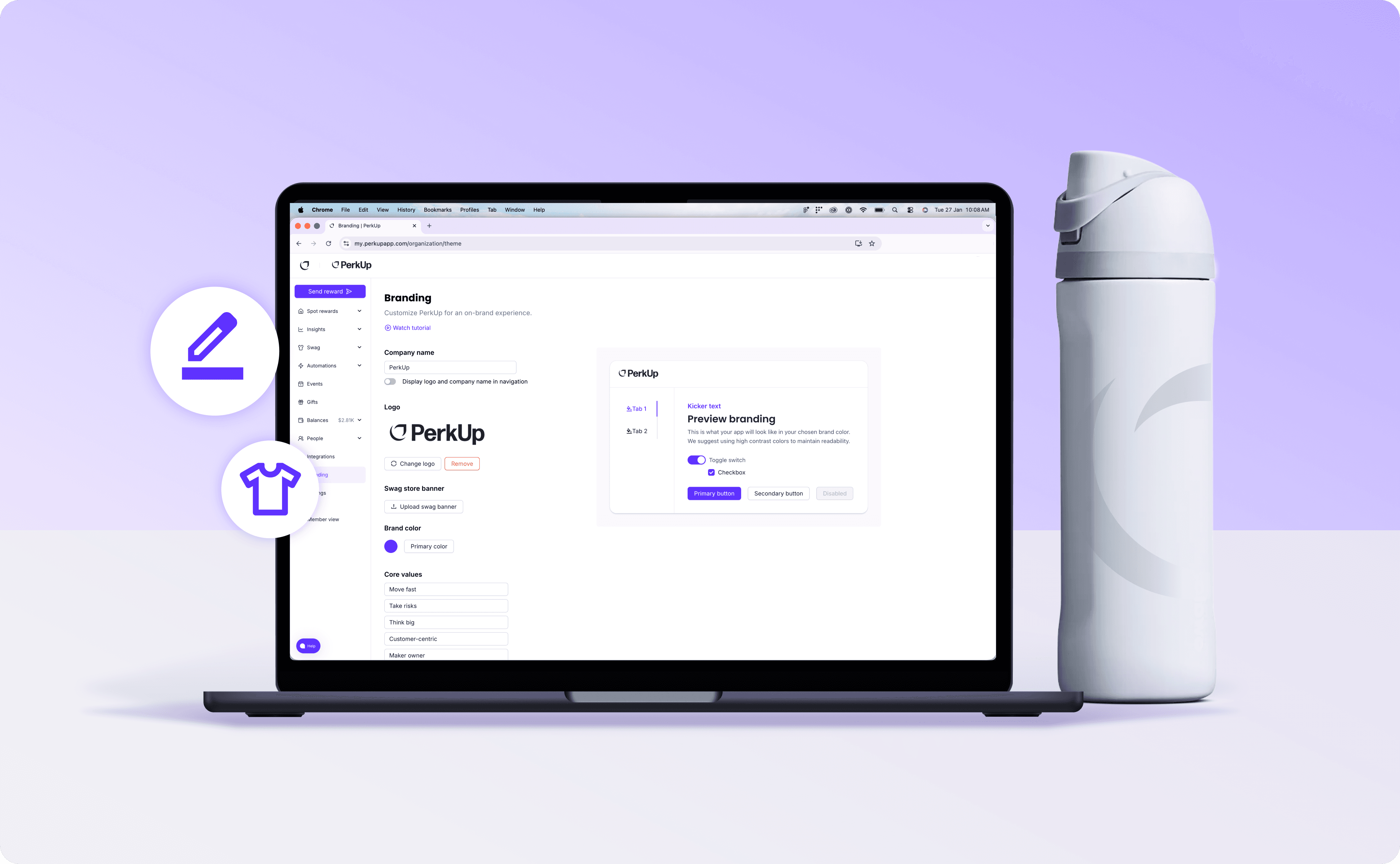
You can now upload a custom banner for your Swag Store in your organization's Branding Settings, replacing the default PerkUp options.

Add your own imagery, campaign graphics, or branded header to give your store a polished, on-brand look that feels tailored to your company.

It’s a small tweak that makes a big visual difference.


Faster Event Creation ⚡

We’ve streamlined the event creation flow so you can add events into PerkUp much more quickly and link them to orders with less friction. Fewer steps, faster setup, and a smoother experience end to end. The improvements are especially helpful when you’re adding multiple events at once.

You can now create an event with just:

  • An event name

  • A rough timeframe (for example, just the month)

  • Partial location info: city, country, convention center name, or whatever you have so far

You no longer need the exact address or finalized dates to get started. This makes it much faster to add events into PerkUp early, link them to orders right away, and fill in details later as plans firm up.


Use Account Balances in the Swag Store 🏦

Employees can now check out from the Swag Store using company account balances, as long as they’ve been given permission.

Previously, employees had to:

  • Receive funds or credits sent specifically to them, or

  • Use their personal credit card

Now, they can:

  • Select an approved company account balance at checkout

  • Optionally add a memo when using that payment method

This makes swag ordering more flexible for employees and gives admins cleaner, centralized spend tracking.

Smarter Reward Acceptance Notifications 🔔

We’ve added new controls to reduce notification clutter as rewards get bigger.

  • By default, when a reward has more than 20 recipients, notifications switch to a daily digest of acceptances and thank-you messages instead of one notification per acceptance.

  • Admins can customize this threshold (for example, 10 recipients — or any number you choose).

  • Your selected threshold applies across all rewards sent by your organization.

The result: fewer interruptions, better signal, and notifications that scale with your programs.
We have a few exciting updates to share with you 👇

  • Bulk swag order status page 🛒

  • Organize your team's swag logos 📁

  • Update account balance notification settings ⚙️

  • Upload a banner for your Swag Store 👕

  • Faster Event Creation ⚡

  • Use Account Balances in the Swag Store 🏦

  • Smarter Reward Acceptance Notifications 🔔

Let's dive in!

Bulk swag order status page 🛒

Managing large swag orders just got a whole lot easier. Our new Bulk Swag order status page gives you full visibility into every item in your order; from proofing to production to arrival at the warehouse or event.

Now, when you place a bulk order, you’ll be able to:

  • Track each item’s progress in real time. See where every SKU stands at a glance — whether it’s waiting on proof approval, in production, or en route to the warehouse.

  • Approve proofs faster. You’ll get alerts as soon as your proofs are ready, so nothing stalls your timelines.

  • View estimated production & shipping timelines. Understand exactly how long each step will take, and get an estimated ship date once items hit production.

  • Follow tracking updates end-to-end. Once items leave their production centers, you can monitor carrier tracking and view the full tracking history directly from your dashboard.

This update gives you the clarity and confidence to keep your team informed, avoid delays, and never wonder “what’s the status?” again.


Organize your team's swag logos 📁

Say goodbye to hunting through old email threads, Slack messages, or random drive folders for the “right” logo. With our new Swag Logos features, your team can now upload, organize, and share all your swag artwork and assets directly inside PerkUp.

Here’s what you can do:

  • Upload all your logos and artwork in one place. Keep every file (PNGs, SVGs, EPS) securely stored and instantly accessible.

  • Organize assets into shared folders. Create folders and subfolders by team, brand, campaign, or product line so everyone knows exactly where to find what they need.

  • Collaborate with your whole team. Share assets with teammates so designers, marketers, and anyone placing bulk or on-demand orders can all pull from the same source of truth.

  • Ensure brand accuracy, every time. With a single shared library, your team will always use the most current, highest-quality artwork — no more outdated logos or mismatched versions on swag.

This feature keeps your brand consistent, your workflow streamlined, and your team perfectly aligned on every order.

Update account balance notification settings ⚙️

You can now customize notification settings for each individual account balance in your organization, giving your finance and operations teams the visibility they need without overwhelming everyone with unnecessary emails.

Two alert types you can fully control

  • Low balance alerts: Set a custom threshold for each balance and get notified when funds drop below your chosen amount.

  • Declined transaction alerts: Get notified when a reward is declined due to insufficient funds—whether the balance was drained, funds were moved out, or negative exposure caught up with the account.

Flexible notification recipients

For each balance and each notification type, decide exactly who gets notified:

  • Specific individuals: Assign notifications to the exact team members who should stay on top of that balance.

  • Permission-based rules:

    • Notify everyone with access to the balance (e.g., anyone who can add funds).

    • Notify only the person who originally created the balance.

  • For declined transactions: You can also choose to notify the sender of the reward that was declined, ensuring the right person is immediately aware.

Organization Defaults

To streamline your setup, you can define default notification settings at the organization level. Any new account balance created will automatically inherit these defaults, saving time and ensuring consistent rules across teams.

This update gives you clearer insights, fewer surprises, and the exact level of control your finance workflows require.

Upload a banner for your Swag Store 👕

You can now upload a custom banner for your Swag Store in your organization's Branding Settings, replacing the default PerkUp options.

Add your own imagery, campaign graphics, or branded header to give your store a polished, on-brand look that feels tailored to your company.

It’s a small tweak that makes a big visual difference.


Faster Event Creation ⚡

We’ve streamlined the event creation flow so you can add events into PerkUp much more quickly and link them to orders with less friction. Fewer steps, faster setup, and a smoother experience end to end. The improvements are especially helpful when you’re adding multiple events at once.

You can now create an event with just:

  • An event name

  • A rough timeframe (for example, just the month)

  • Partial location info: city, country, convention center name, or whatever you have so far

You no longer need the exact address or finalized dates to get started. This makes it much faster to add events into PerkUp early, link them to orders right away, and fill in details later as plans firm up.


Use Account Balances in the Swag Store 🏦

Employees can now check out from the Swag Store using company account balances, as long as they’ve been given permission.

Previously, employees had to:

  • Receive funds or credits sent specifically to them, or

  • Use their personal credit card

Now, they can:

  • Select an approved company account balance at checkout

  • Optionally add a memo when using that payment method

This makes swag ordering more flexible for employees and gives admins cleaner, centralized spend tracking.

Smarter Reward Acceptance Notifications 🔔

We’ve added new controls to reduce notification clutter as rewards get bigger.

  • By default, when a reward has more than 20 recipients, notifications switch to a daily digest of acceptances and thank-you messages instead of one notification per acceptance.

  • Admins can customize this threshold (for example, 10 recipients — or any number you choose).

  • Your selected threshold applies across all rewards sent by your organization.

The result: fewer interruptions, better signal, and notifications that scale with your programs.

We have a few exciting updates to share with you 👇

  • Bulk swag order status page 🛒

  • Organize your team's swag logos 📁

  • Update account balance notification settings ⚙️

  • Upload a banner for your Swag Store 👕

  • Faster Event Creation ⚡

  • Use Account Balances in the Swag Store 🏦

  • Smarter Reward Acceptance Notifications 🔔

Let's dive in!

Bulk swag order status page 🛒

Managing large swag orders just got a whole lot easier. Our new Bulk Swag order status page gives you full visibility into every item in your order; from proofing to production to arrival at the warehouse or event.

Now, when you place a bulk order, you’ll be able to:

  • Track each item’s progress in real time. See where every SKU stands at a glance — whether it’s waiting on proof approval, in production, or en route to the warehouse.

  • Approve proofs faster. You’ll get alerts as soon as your proofs are ready, so nothing stalls your timelines.

  • View estimated production & shipping timelines. Understand exactly how long each step will take, and get an estimated ship date once items hit production.

  • Follow tracking updates end-to-end. Once items leave their production centers, you can monitor carrier tracking and view the full tracking history directly from your dashboard.

This update gives you the clarity and confidence to keep your team informed, avoid delays, and never wonder “what’s the status?” again.


Organize your team's swag logos 📁

Say goodbye to hunting through old email threads, Slack messages, or random drive folders for the “right” logo. With our new Swag Logos features, your team can now upload, organize, and share all your swag artwork and assets directly inside PerkUp.

Here’s what you can do:

  • Upload all your logos and artwork in one place. Keep every file (PNGs, SVGs, EPS) securely stored and instantly accessible.

  • Organize assets into shared folders. Create folders and subfolders by team, brand, campaign, or product line so everyone knows exactly where to find what they need.

  • Collaborate with your whole team. Share assets with teammates so designers, marketers, and anyone placing bulk or on-demand orders can all pull from the same source of truth.

  • Ensure brand accuracy, every time. With a single shared library, your team will always use the most current, highest-quality artwork — no more outdated logos or mismatched versions on swag.

This feature keeps your brand consistent, your workflow streamlined, and your team perfectly aligned on every order.

Update account balance notification settings ⚙️

You can now customize notification settings for each individual account balance in your organization, giving your finance and operations teams the visibility they need without overwhelming everyone with unnecessary emails.

Two alert types you can fully control

  • Low balance alerts: Set a custom threshold for each balance and get notified when funds drop below your chosen amount.

  • Declined transaction alerts: Get notified when a reward is declined due to insufficient funds—whether the balance was drained, funds were moved out, or negative exposure caught up with the account.

Flexible notification recipients

For each balance and each notification type, decide exactly who gets notified:

  • Specific individuals: Assign notifications to the exact team members who should stay on top of that balance.

  • Permission-based rules:

    • Notify everyone with access to the balance (e.g., anyone who can add funds).

    • Notify only the person who originally created the balance.

  • For declined transactions: You can also choose to notify the sender of the reward that was declined, ensuring the right person is immediately aware.

Organization Defaults

To streamline your setup, you can define default notification settings at the organization level. Any new account balance created will automatically inherit these defaults, saving time and ensuring consistent rules across teams.

This update gives you clearer insights, fewer surprises, and the exact level of control your finance workflows require.

Upload a banner for your Swag Store 👕

You can now upload a custom banner for your Swag Store in your organization's Branding Settings, replacing the default PerkUp options.

Add your own imagery, campaign graphics, or branded header to give your store a polished, on-brand look that feels tailored to your company.

It’s a small tweak that makes a big visual difference.


Faster Event Creation ⚡

We’ve streamlined the event creation flow so you can add events into PerkUp much more quickly and link them to orders with less friction. Fewer steps, faster setup, and a smoother experience end to end. The improvements are especially helpful when you’re adding multiple events at once.

You can now create an event with just:

  • An event name

  • A rough timeframe (for example, just the month)

  • Partial location info: city, country, convention center name, or whatever you have so far

You no longer need the exact address or finalized dates to get started. This makes it much faster to add events into PerkUp early, link them to orders right away, and fill in details later as plans firm up.


Use Account Balances in the Swag Store 🏦

Employees can now check out from the Swag Store using company account balances, as long as they’ve been given permission.

Previously, employees had to:

  • Receive funds or credits sent specifically to them, or

  • Use their personal credit card

Now, they can:

  • Select an approved company account balance at checkout

  • Optionally add a memo when using that payment method

This makes swag ordering more flexible for employees and gives admins cleaner, centralized spend tracking.

Smarter Reward Acceptance Notifications 🔔

We’ve added new controls to reduce notification clutter as rewards get bigger.

  • By default, when a reward has more than 20 recipients, notifications switch to a daily digest of acceptances and thank-you messages instead of one notification per acceptance.

  • Admins can customize this threshold (for example, 10 recipients — or any number you choose).

  • Your selected threshold applies across all rewards sent by your organization.

The result: fewer interruptions, better signal, and notifications that scale with your programs.

Start sending incredible swag and gifts globally

Simplify and enhance your event swag and gifting experience for better retention, engagement and productivity.

Start sending incredible swag and gifts globally

Simplify and enhance your event swag and gifting experience for better retention, engagement and productivity.

Start sending incredible swag and gifts globally

Simplify and enhance your event swag and gifting experience for better retention, engagement and productivity.